Computer components can be divided into hardware and software. Hardware refers to devices that can be touched by the hand, including the CPU, monitor, speaker, and memory, whereas software refers to things that you can’t touch but that are required to make hardware work, for example, Microsoft Word, Zoom and Google Chrome.
Think of hardware and software as being analogous to the human body. In our body, the hands, feet, and eyes can be viewed as hardware, while the thoughts and ideas can be viewed as software. Just as the brain sends signals to make the body move, software sends signals to make hardware work.
Without software, you can’t watch movies on your computer. The reason for this is that software is a collection of commands that instruct the necessary hardware to work. To provide commands to hardware, you need to write them in a language that the computer can understand. It’s just like a French person speaking in English in order to converse with an American.
Unfortunately, computers are not yet smart enough to understand human language. For this reason, software developers use computer programming languages such as Java, C, and Python, which a computer can understand.
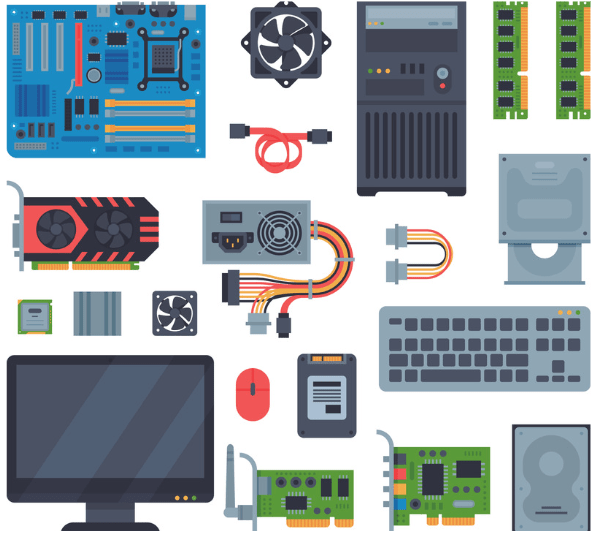
Computer Hardware
Software works hierarchically. If you let any program control your hardware, the computer would crash. Thus, only the operating system has the authority to control the hardware.
Let’s think of a movie playback program. Such a program does not have the right to control the monitor directly, so it has to ask the operating system.
The program will ask the operating system something along the lines of “Hey! Operating system, can you display this image on the screen?” The operating system will check to see if the program has the necessary permission. If it does, the operating system will allow the program to display the image on the screen.
The operating system has great power to control the hardware. We call this kind of software “system software.” As the name suggests, the system software is the software that manages the devices.
Companies and schools use application software such as spreadsheets, chat, and groupware to efficiently process tasks. The term “application” is used because application software is developed by applying underlying technologies. We can omit “software” and just call it an “application.”
People often use the term “solution” instead of “software.” Why is this word used? It should be easy to understand if you read the following.
There are 100 computers in the computer classroom. A computer teacher has to manage all 100 computers. The teacher has to install several programs on the 100 computers and then manage them every day. As you know, managing many computers is not easy. In this situation, isn’t it likely that a company will suggest the use of its software? “Try our solution and these difficulties will be resolved.”
Doesn’t software seem like a solution to a difficult situation? However, “solution” is not just a computer-related term. Indeed, we can use it in any situation that requires the solving of a problem.
You might have seen a driver compact disk (CD) before. What is a driver? To explain it, let’s think about installing a printer. If you connect the printer to the computer using a cable, the printer does not work immediately. The reason for this is that there is no software installed to allow the computer and the printer to communicate with each other. To send a command to the printer (e.g., “print 100 pages”), a small piece of software known as a “driver” must be installed in the operating system.
This is the reason why a driver CD was always included when you bought a printer. The driver drives the printer in the same way a person drives a car, which is why it is known as a “driver.” To use a device such as a keyboard, mouse, or monitor, the driver for the device must be installed in the operating system. However, these days, operating systems include well-known drivers, so you don’t need to install them. If you plug the relevant device into your computer, the operating system will recognize and install the required driver automatically.

 IT's Story for Computer Beginners
댓글 남기기